Step 3 · Admin Panel Setup › Hotel Operations
Hotel Branches & Properties
Manage all hotel branches, locations, check-in/out policies, contact details and property photos.
Branch Management Multi-Property
BookMyStay is built from the ground up for hotel brands with one or many branches. Every room, booking, staff member and report can be filtered by branch, or viewed across all properties by the Super Admin.
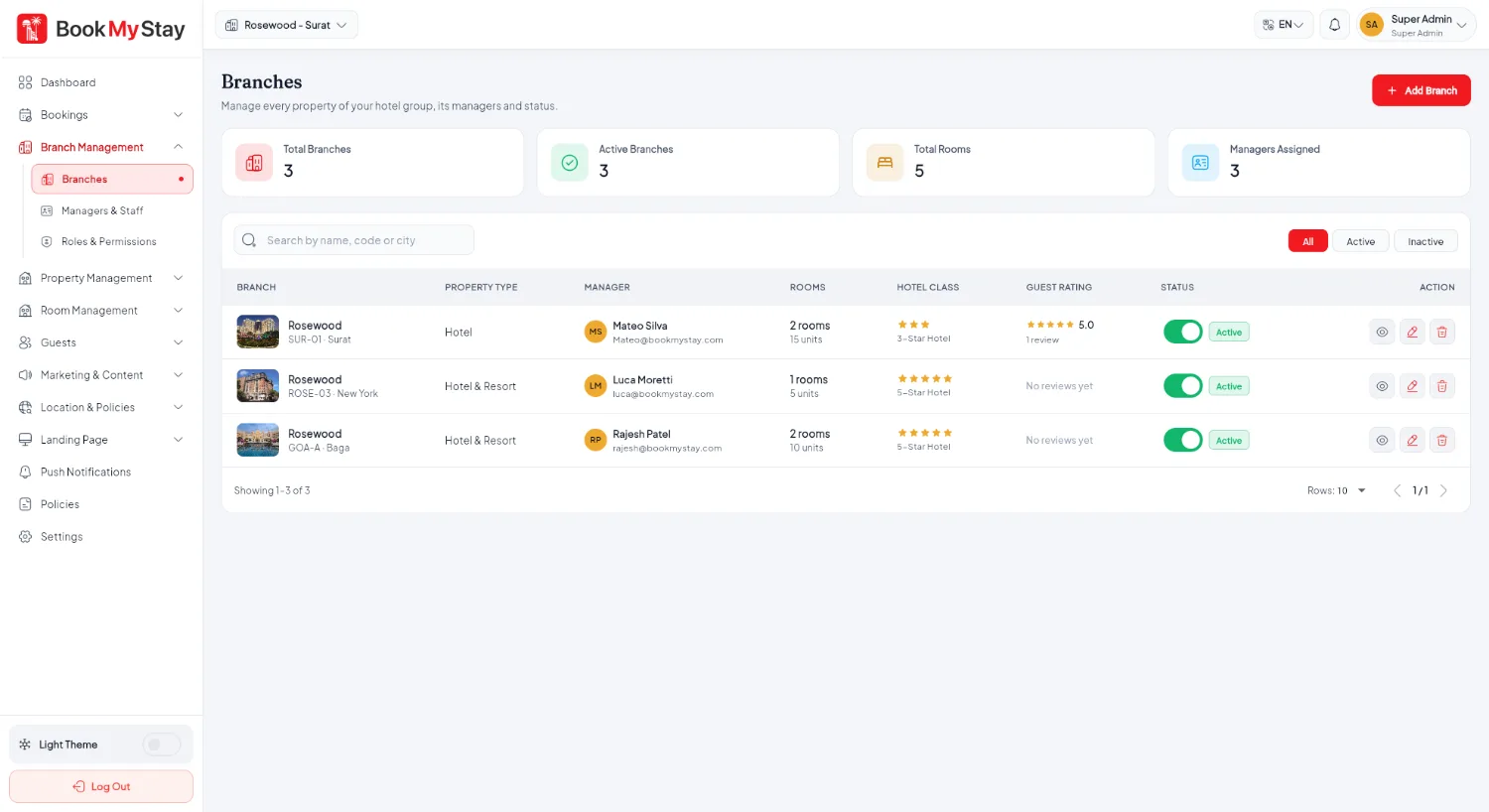
Branch management overview#
Each branch in BookMyStay represents an individual hotel property with its own:
- Physical address & GPS coordinates for maps and directions.
- Check-in and check-out standard times (e.g. 14:00 check-in, 11:00 check-out) used to calculate stay schedules and reminders.
- Contact info: Direct phone numbers and front desk email address.
- Photos & gallery: Exterior shots, lobby photos, facilities and property highlights.
- Assigned staff & managers: Only staff assigned to a branch can view its local room inventory and bookings.
Adding a new branch#
Go to Branch Management → Branches and click Add Branch. Fill in the required hotel information in the branch form modal:
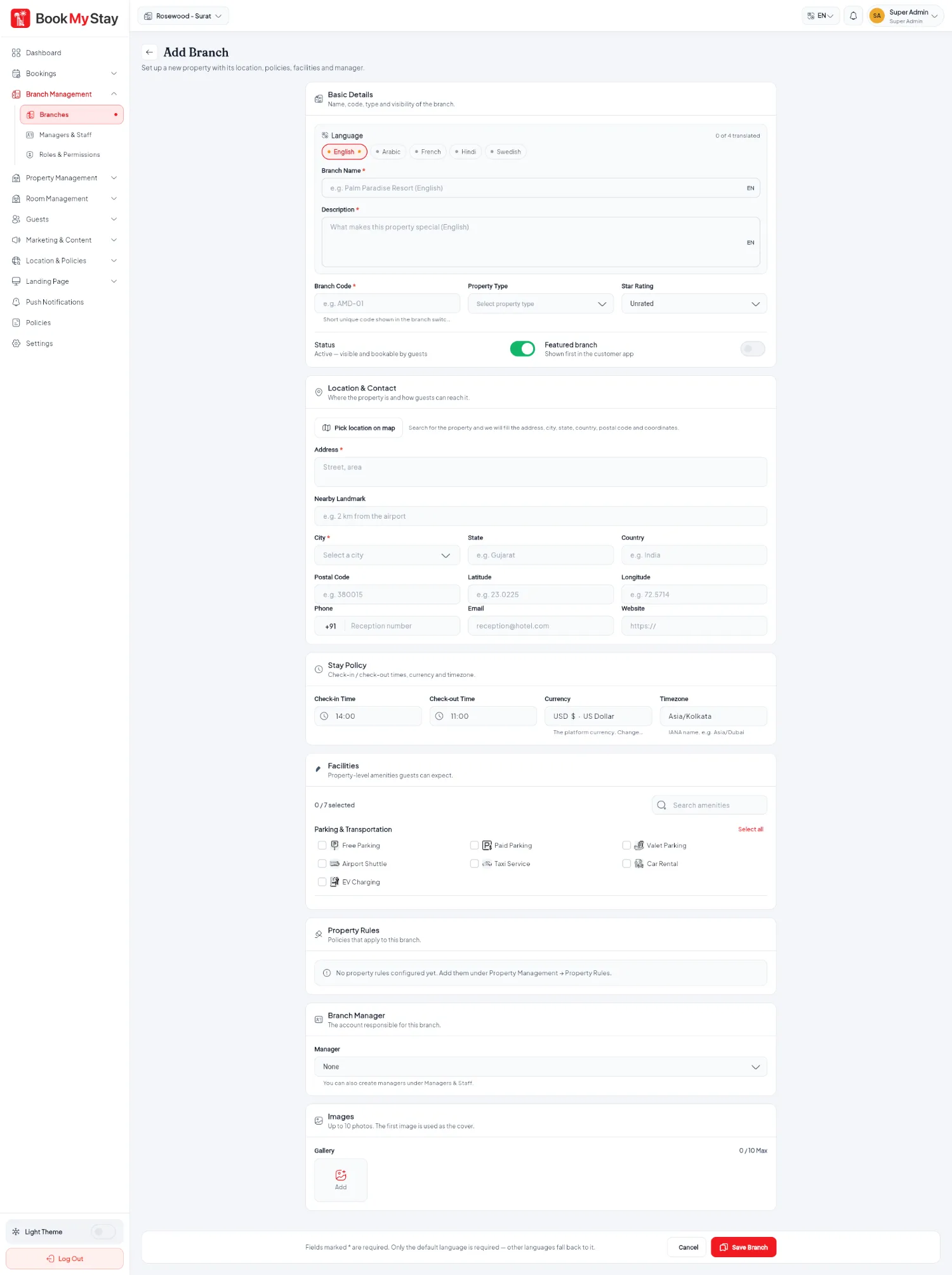
| Field | Description | Example |
|---|---|---|
| Branch Name | The public display name of the hotel property. | Grand Palace Hotel & Suites |
| Country & City | Linked to your active geographic master data. | United States → New York |
| Full Address | Street address visible on customer vouchers and Google Maps directions. | 742 Evergreen Terrace, New York, NY 10001 |
| Coordinates | Latitude and longitude for interactive map pins and distance calculations. | 40.7128, -74.0060 |
| Timings | Standard Check-in and Check-out times enforced for reservations. | Check-in: 14:00 · Check-out: 11:00 |
| Contact Phone & Email | Front desk support details printed on guest booking invoices and emails. | +1 (555) 019-2834 · frontdesk@palacehotel.com |
Viewing branch details#
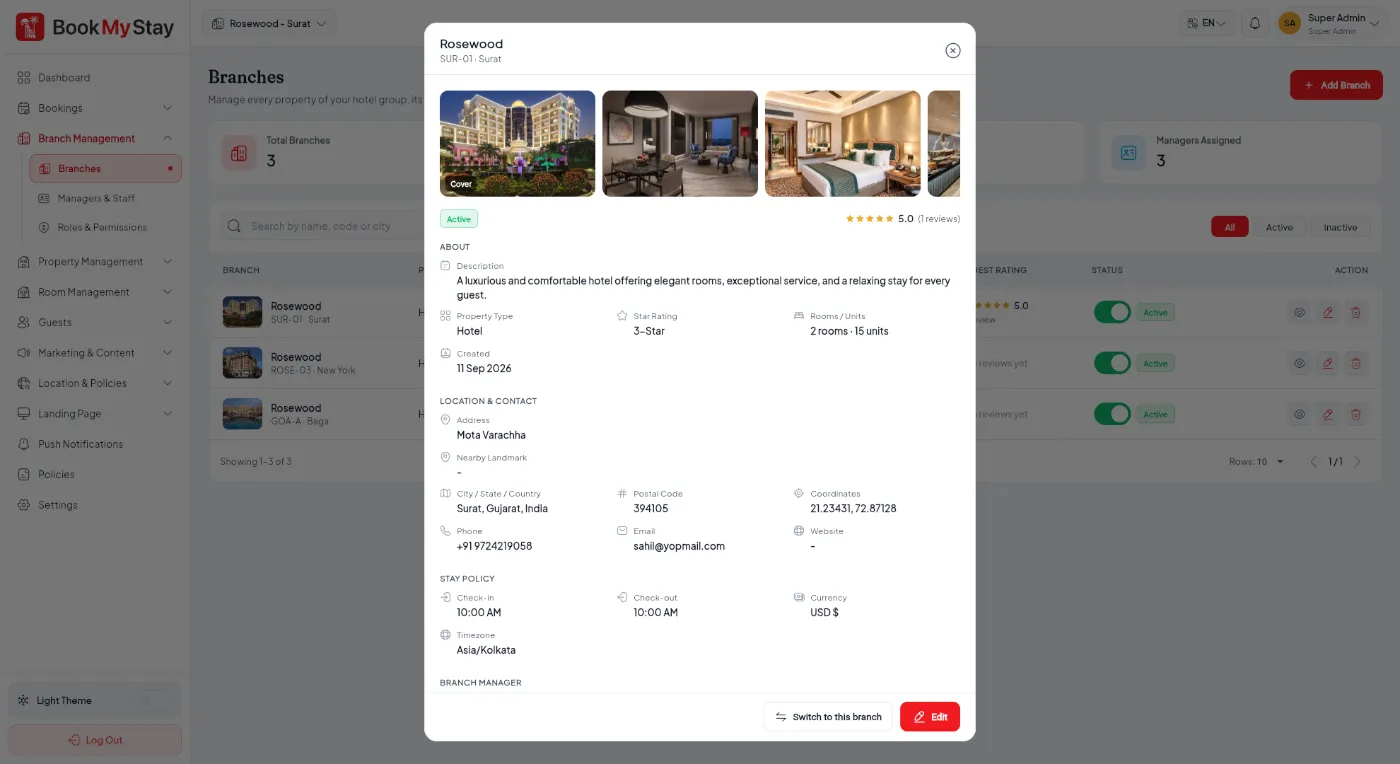
Clicking the eye icon on any branch opens the comprehensive Branch Details modal, showing linked room types, assigned staff, occupancy rates and contact settings.