

Step 3 · Admin Panel Setup › Branding
Branding & App Theme
Change logos, app titles, primary brand color (#F11A20), and Google Fonts across Admin Panel, Customer Web and Customer Mobile App without rebuilding code.
Theme Engine Instant Update
BookMyStay features a dynamic theme engine. Customizations configured in Settings → App Theme sync in real-time to the web panel, the customer website, and mobile apps on their next launch.
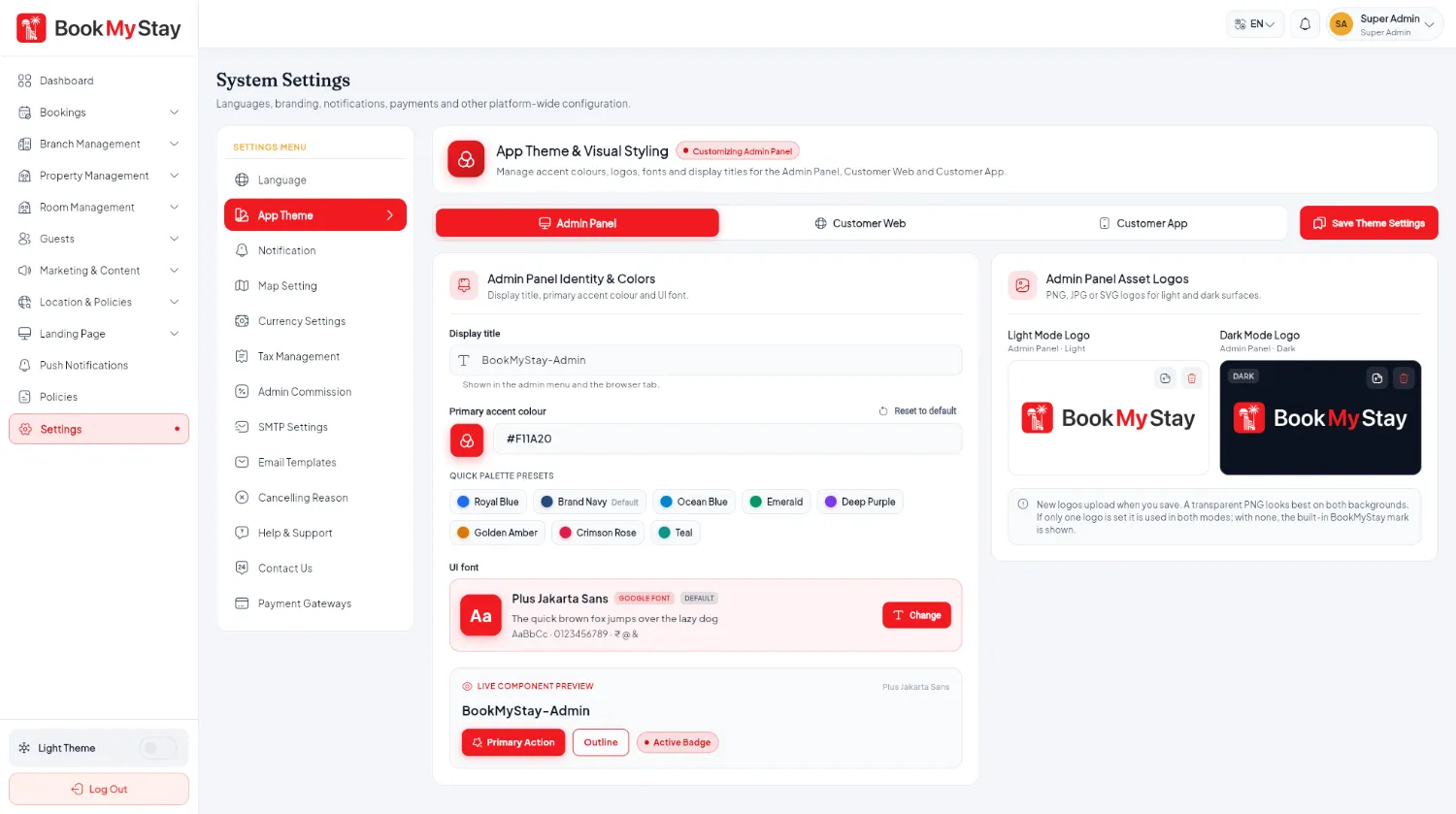
Three theme tabs#
- Admin Panel: Set Admin display title, primary accent color, Google Font (e.g. Plus Jakarta Sans), and upload Light / Dark SVG or PNG logos.
- Customer Web: Set customer website title, hero typography, primary brand color, and website header logos.
- Customer App: Configure the mobile app title, primary tint color (#F11A20), and splash logos.
Instant Changes
Logos and colors updated in App Theme do not require re-compiling Flutter code. Simply refresh your browser tab or restart the mobile app to see the new branding applied.