

Instructors
Who teaches on your platform, and who is waiting to.
The instructor list
Users Management → Instructors → All Instructors shows everyone approved to teach, with their course count, earnings and status.
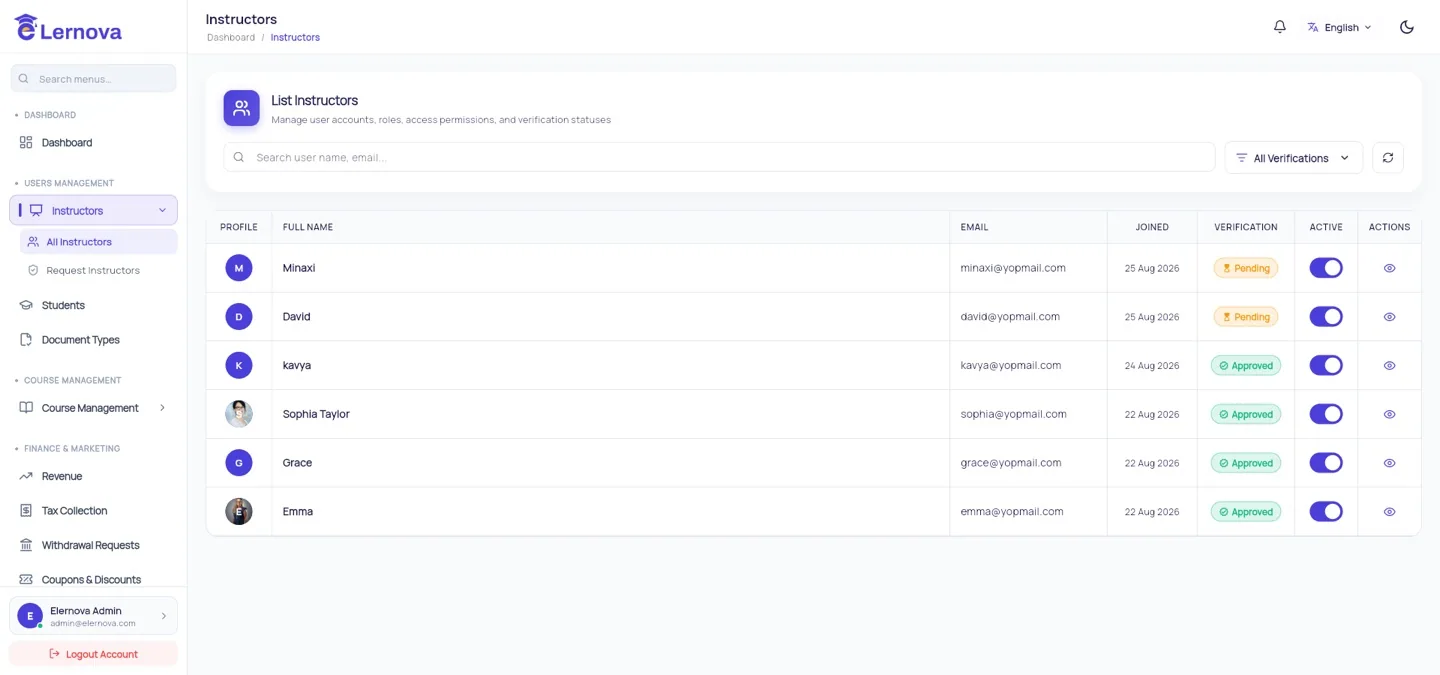
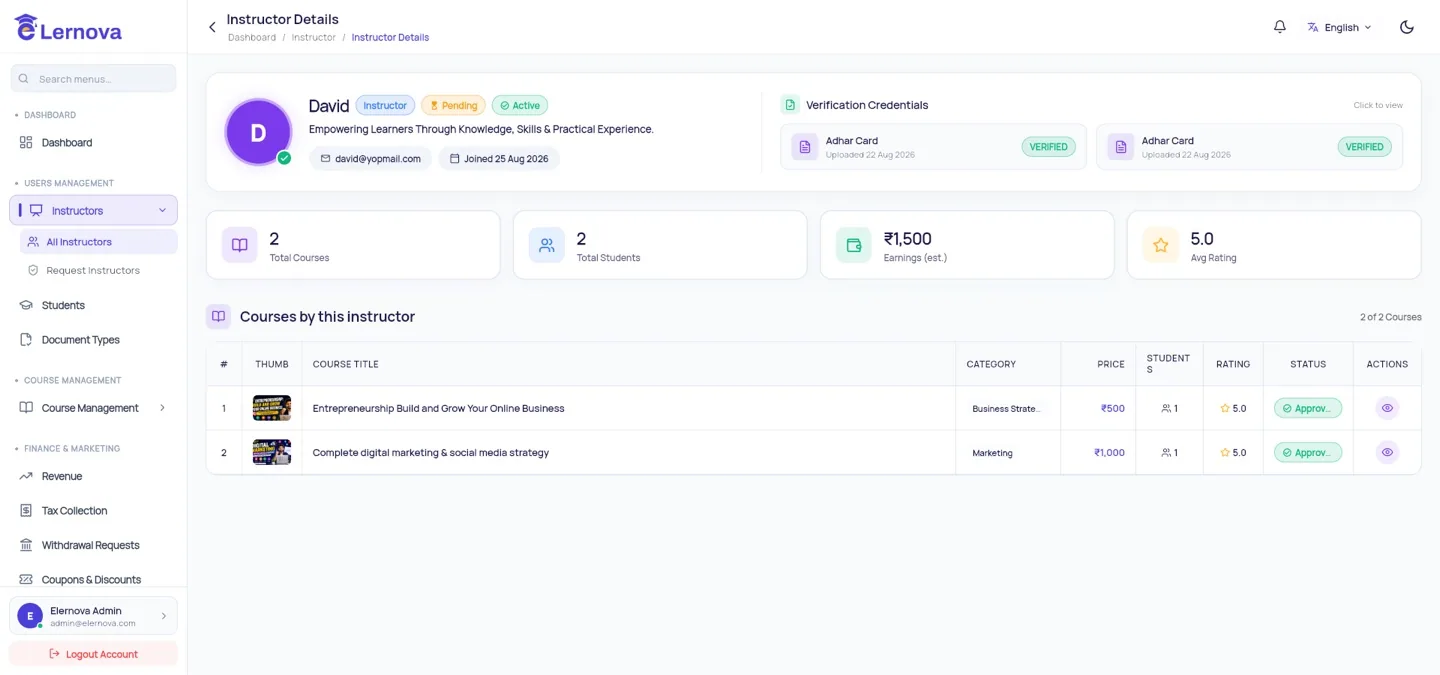
Open one to see their profile, their courses, their sales and their payout history.
Instructor requests
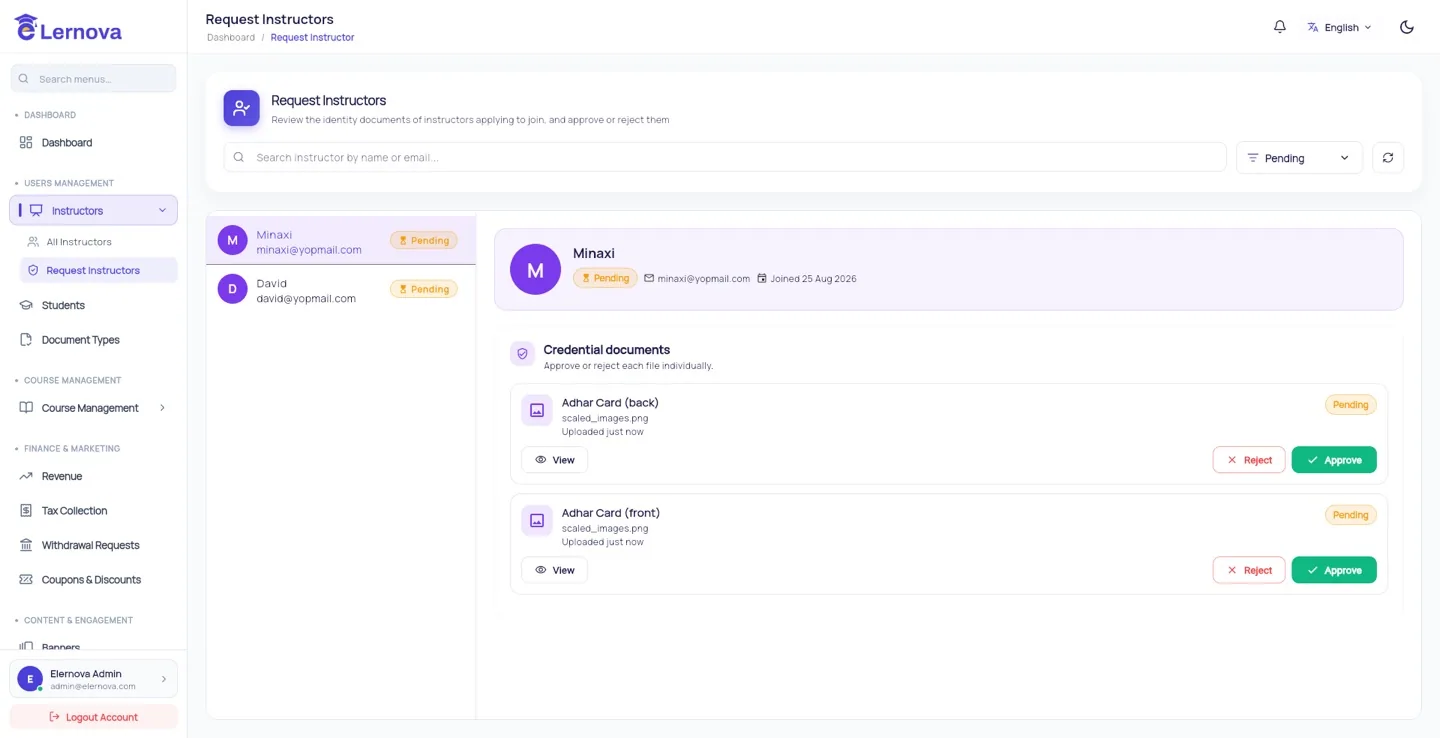
New sign-ups land in Request Instructors until you approve them. Until then they can create an account but not publish.
What to look at before approving
A real name and photo, a bio that reads like a person rather than a keyword list, and — if you asked for them — ID documents that match the name. Approving everyone is how a marketplace fills with junk courses; approving nobody is how it stays empty. A short look at the bio is usually enough.
Blocking an instructor
You can suspend an instructor from their detail page. What that does:
- They can no longer sign in or publish.
- Their published courses stay visible unless you unpublish them separately.
- Students already enrolled keep their access — they paid for it.
- Any unpaid balance remains owed to them.
Blocking is not the same as removing their courses
If you are blocking someone for bad content, unpublish the courses too. Students keep access to what they bought either way, which is both fair and what your refund policy almost certainly says.
Verification
If you ask instructors for ID or qualifications, their uploads are reviewed under Verification & documents.