

System languages
Which of the bundled languages your apps offer, and which is the default.
Open SYSTEM & SETTINGS → Settings → System Languages.
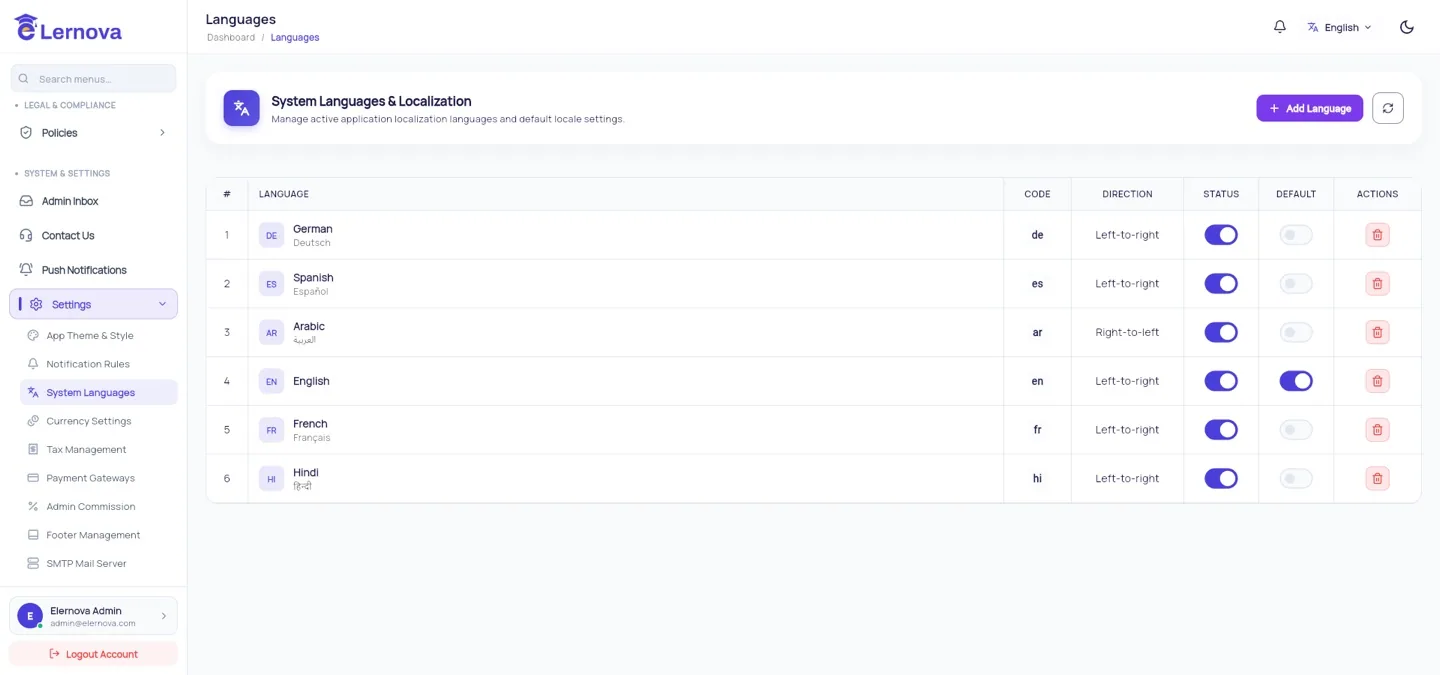
What ships
Six languages are translated and built in:
Arabic is right-to-left, and the apps mirror their whole layout when it is selected — navigation, icons, sliders and progress bars all flip.
What to set here
| Setting | Effect |
|---|---|
| Enabled | Whether the language appears in the app's language picker |
| Default | What a new user gets before they choose |
Only enable what you can support
Every enabled language is one your course titles, descriptions and support replies are implicitly promised in. The interface is translated; your content is not. Two well-supported languages beat six half-supported ones.
Course languages are a different list
Do not confuse this with COURSE MANAGEMENT → Languages, which is the list instructors pick from to say what language a course is taught in. A course taught in Portuguese is perfectly normal on an English-only interface. See Categories, languages & tags.
Adding a language of your own
Adding a seventh language needs one new Dart file per app and a rebuild. Languages & RTL walks through it.