Instructor verification
Decide what proof you ask for, then review what comes in.
Choose the document types
Users Management → Document Types defines what instructors are asked to upload.
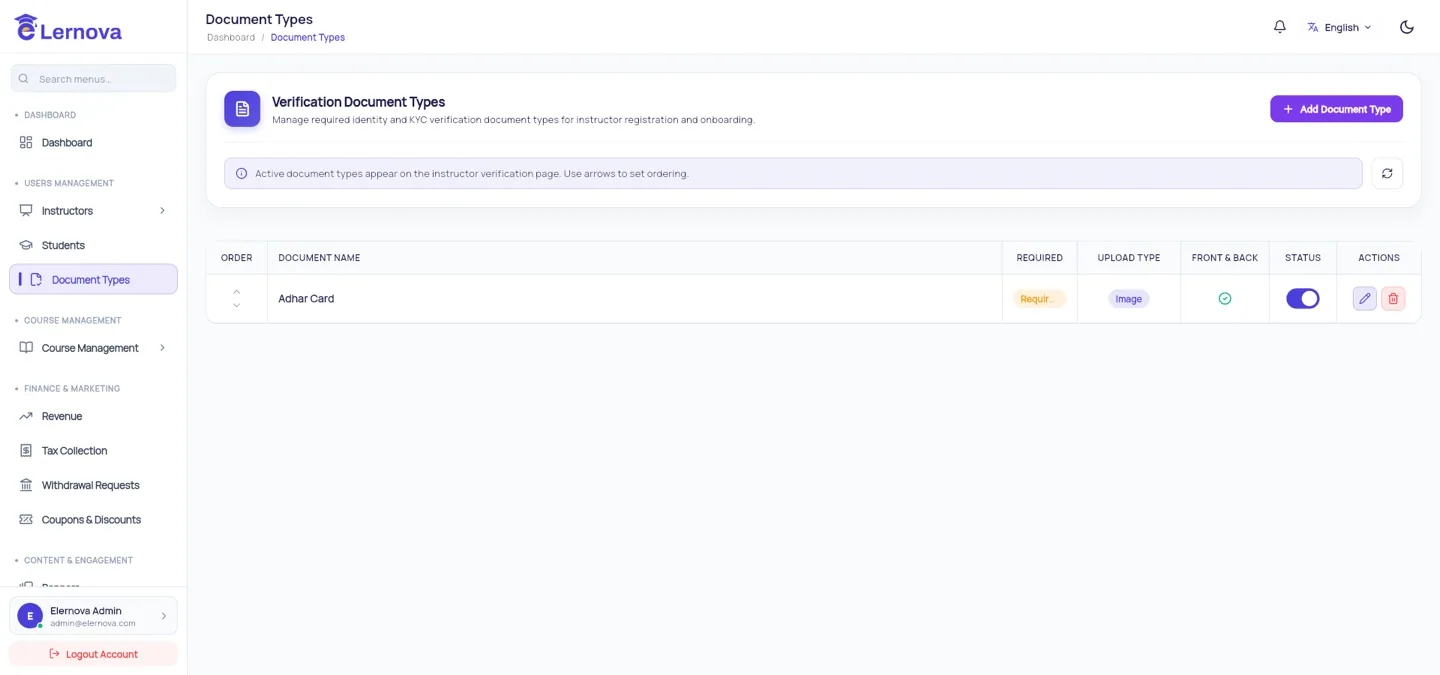
Add one per piece of proof you want:
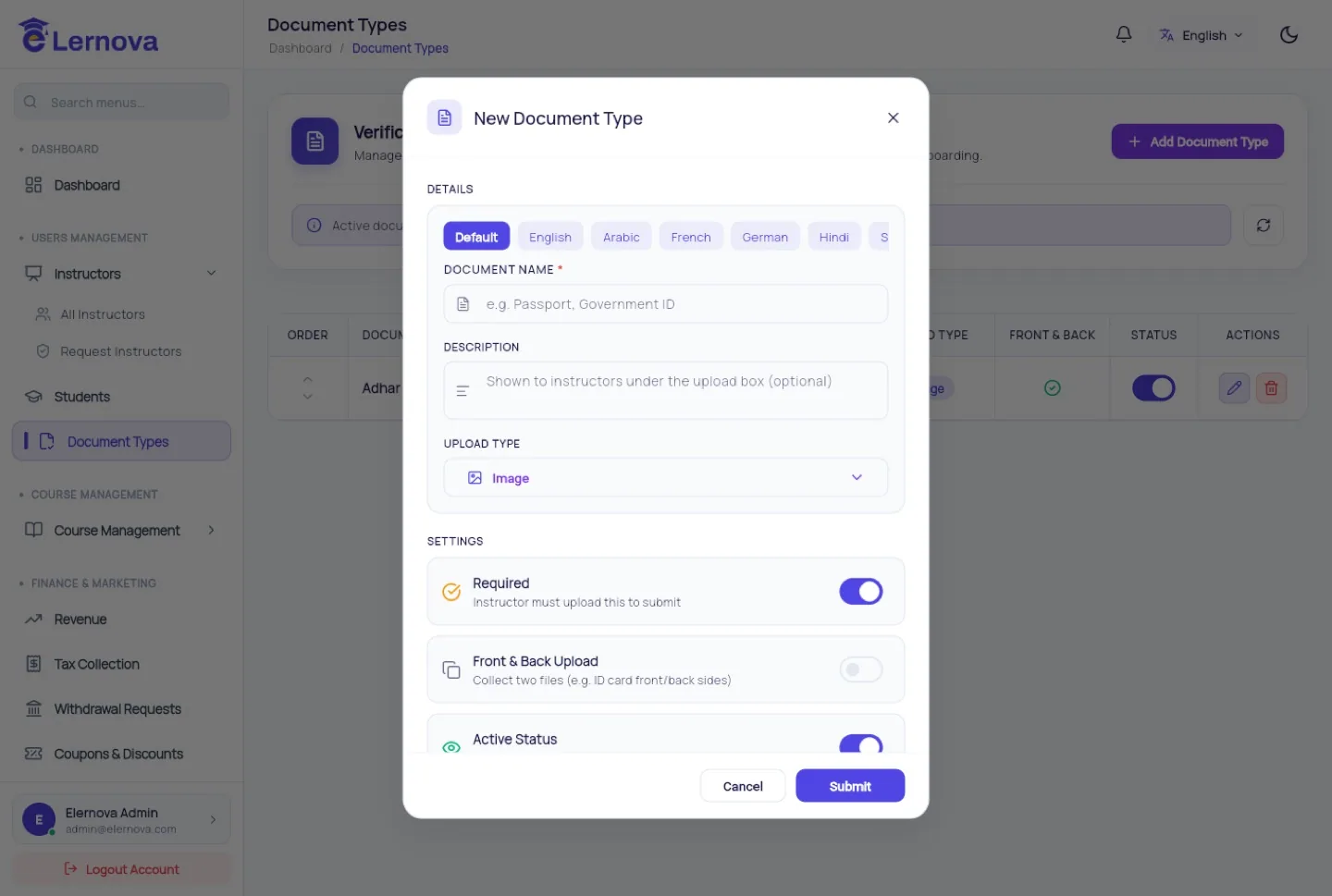
| Field | Meaning |
|---|---|
| Name | What the instructor sees — "Government ID", "Teaching certificate" |
| Description | Tell them exactly what is acceptable; it saves a round trip |
| Required | Whether they can submit without it |
| Active | Turn a type off without deleting past submissions |
Ask for less than you think
Every required document is a step where an instructor gives up. For most platforms one government ID is enough to deter trouble. Ask for qualifications only if your positioning actually depends on them.
Review the submissions
Uploads appear on the instructor's detail page under Documents, where you approve or reject each one.
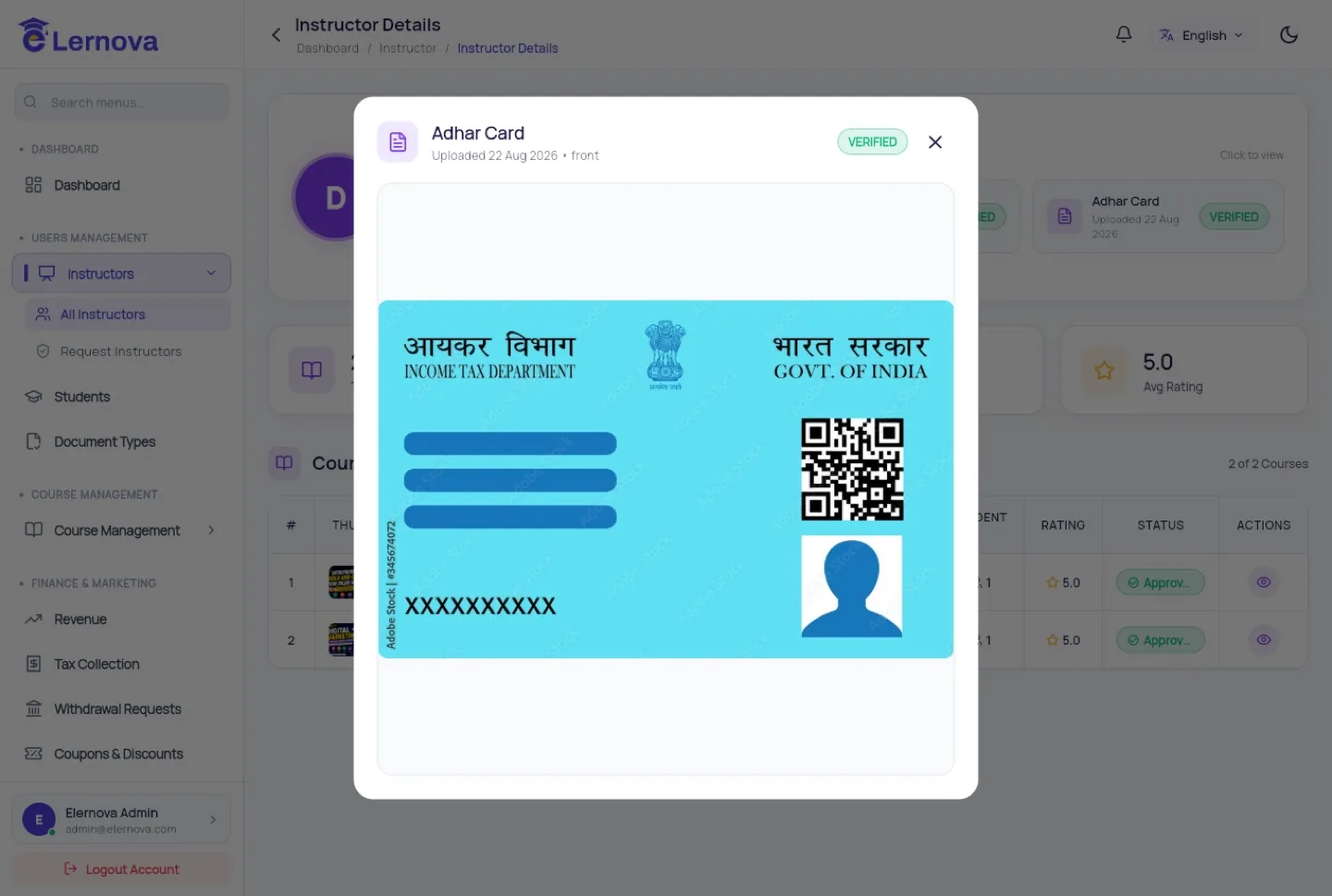
Give a reason when you reject
The instructor sees your note. "Rejected" on its own means they resubmit the same blurry photo. "The photo is cut off — we need all four corners of the card visible" gets it right the second time.
These are identity documents
You are storing scans of people's passports and ID cards. Your privacy policy must say you do, how long you keep them and who can see them. Delete them once verification is done if you have no reason to keep them, restrict who has an admin account, and never download them to a personal device.
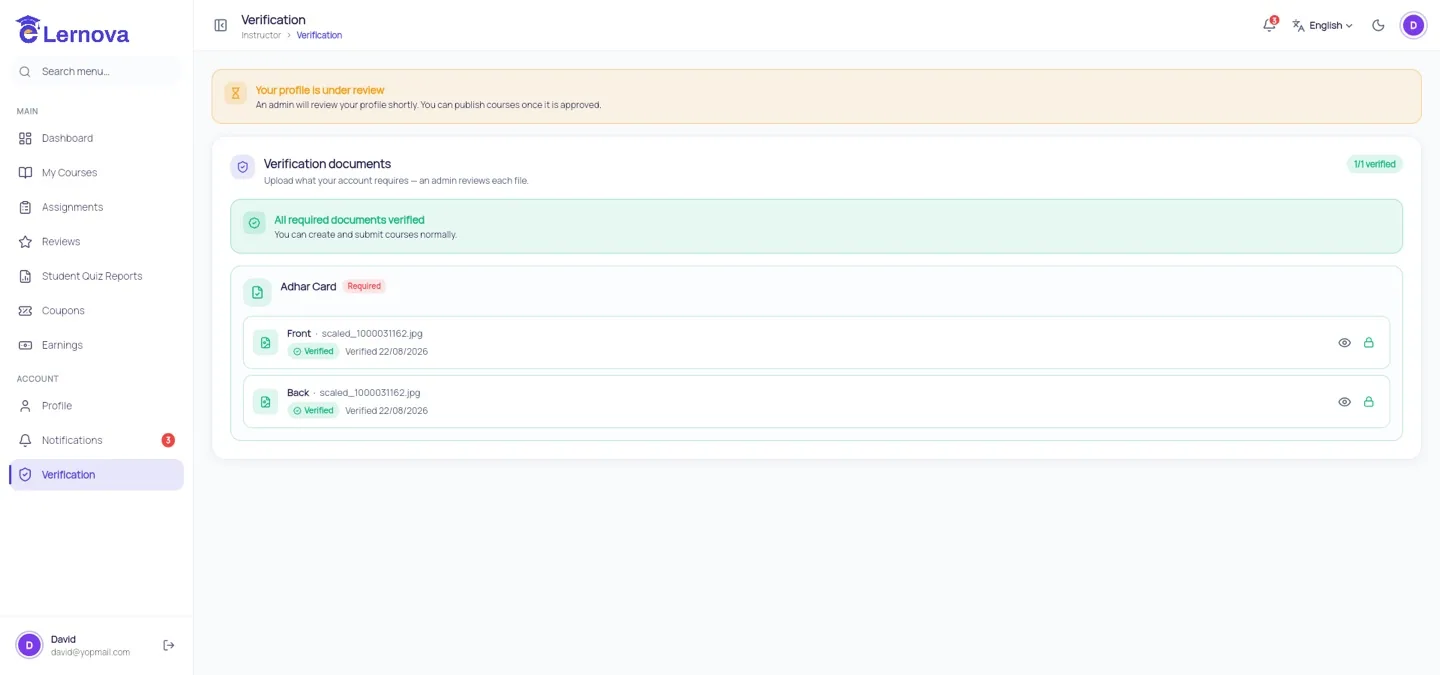
What the instructor sees