

Buying a course
Wishlist, cart, coupon, payment — and what happens on the server.
Wishlist
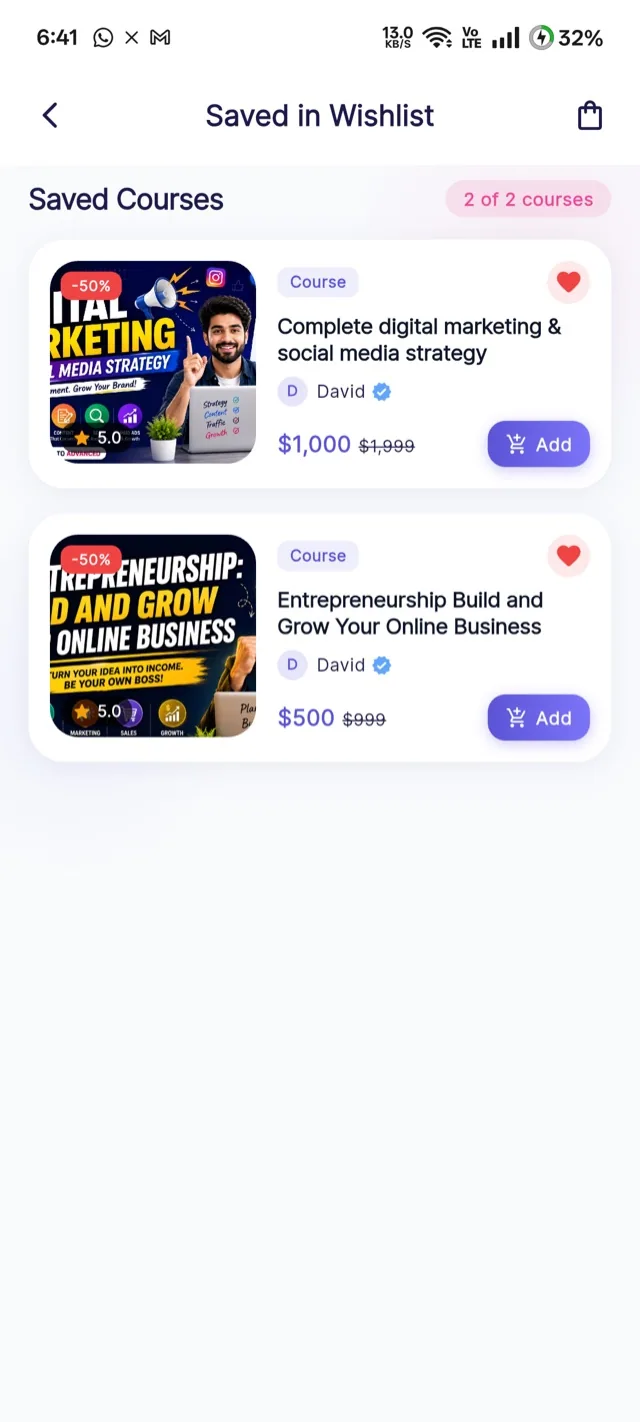
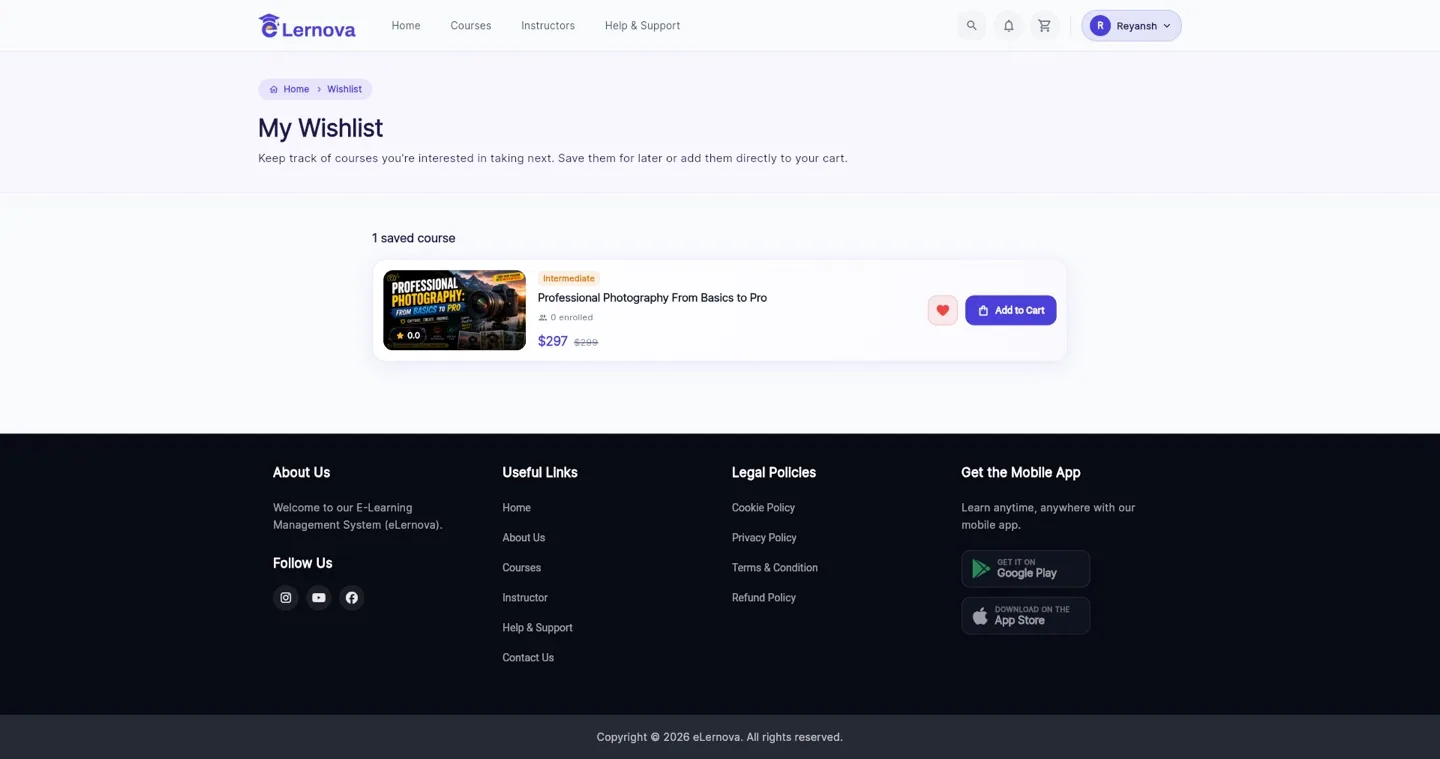
Students save courses for later. A wishlist needs an account, and syncs across their devices.
Cart
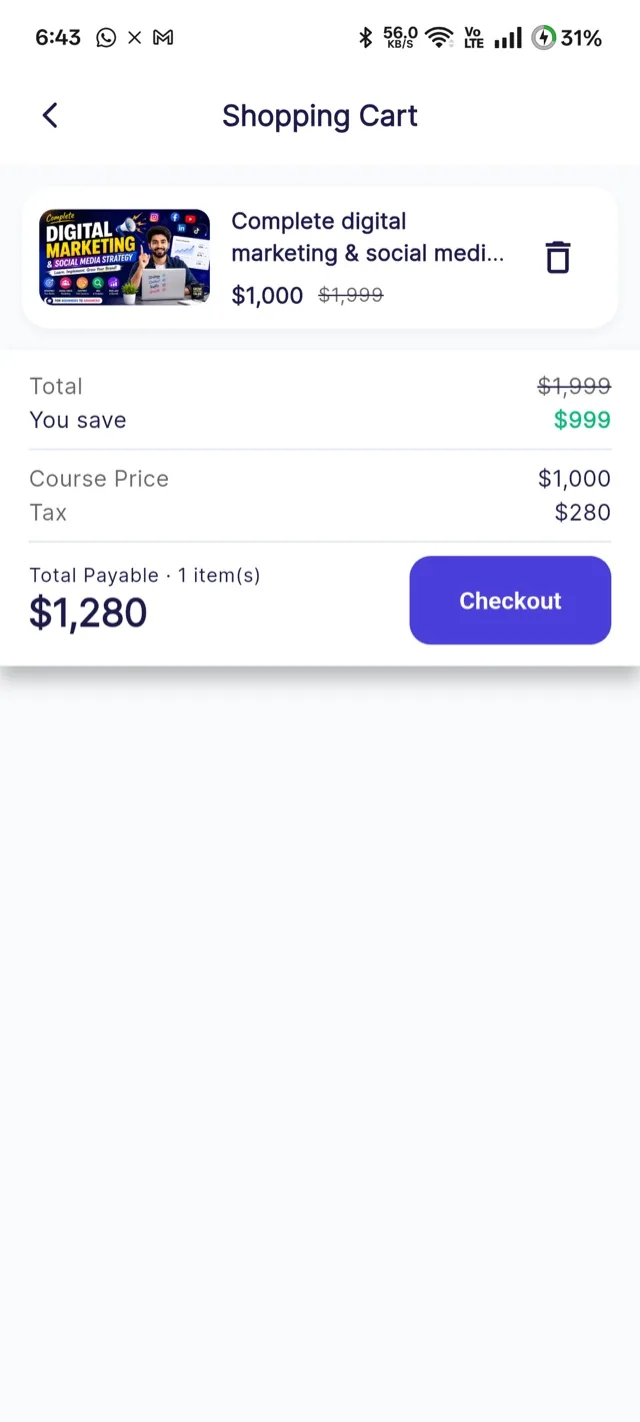
Several courses can be bought in one go.
Checkout
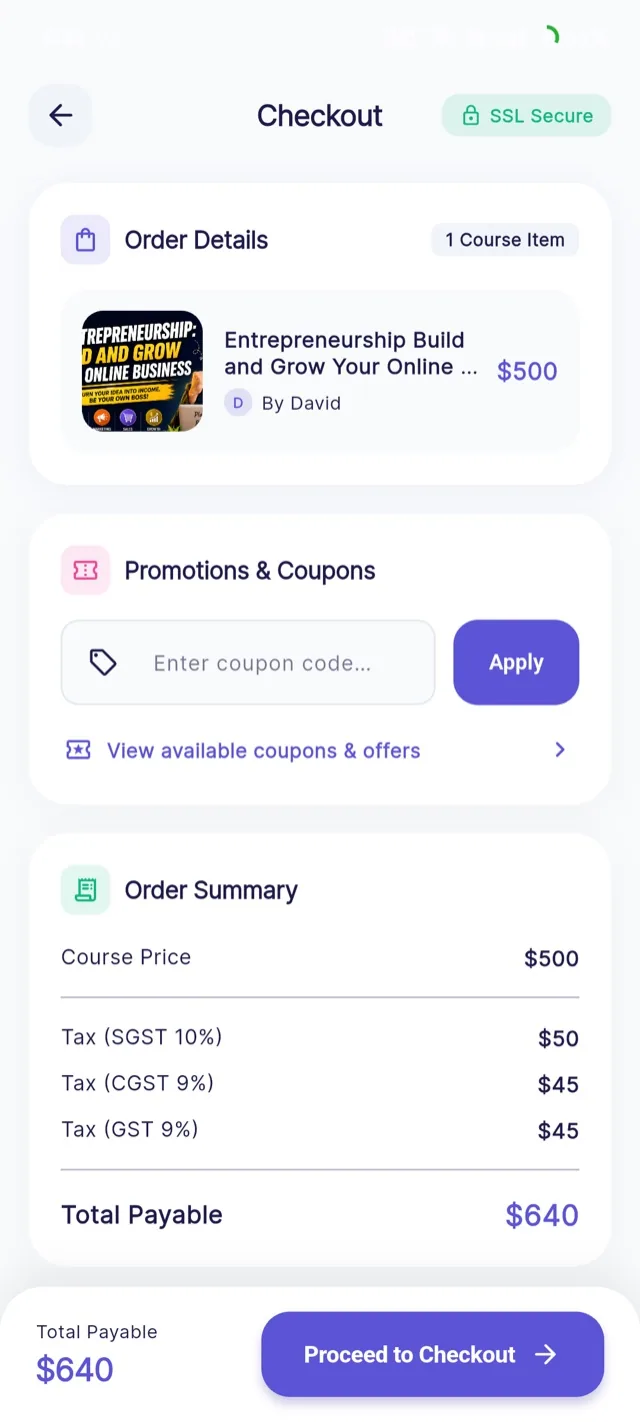
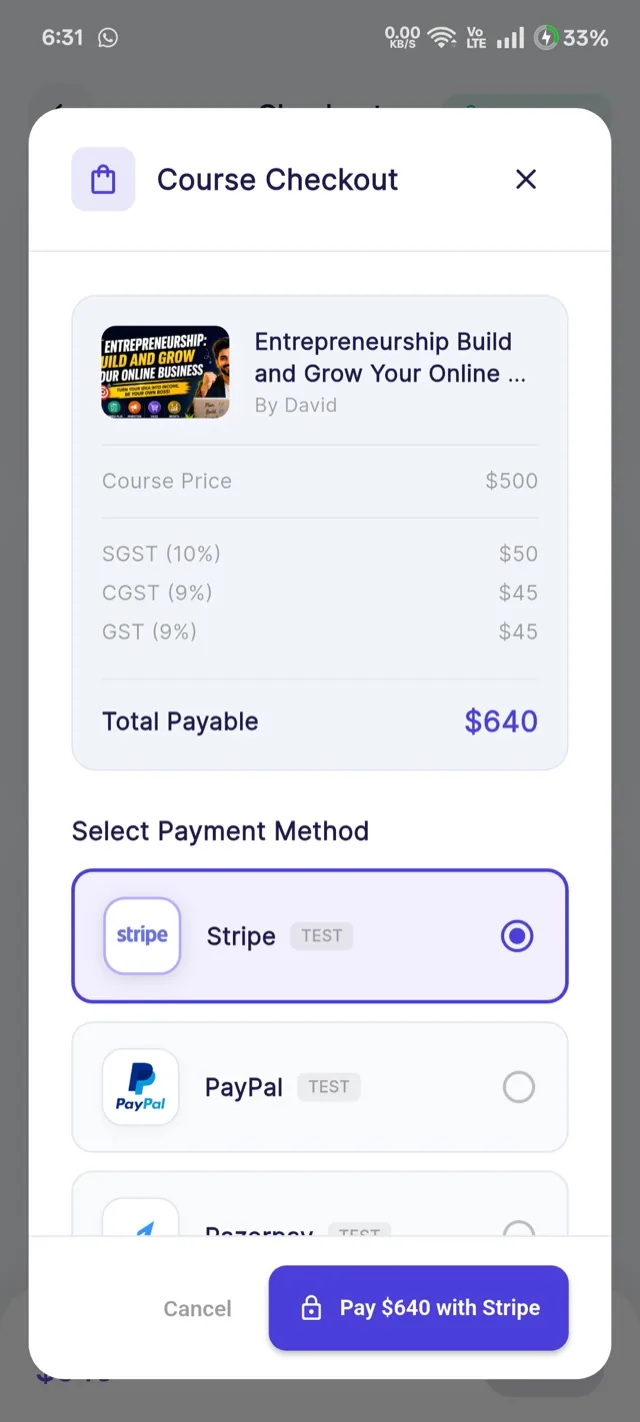
The checkout screen shows the breakdown before anything is charged: course price, any coupon, tax and the total.
The total is calculated on the server
When the student reaches this screen the app asks the backend to create an order, and the backend decides the price: it looks up the course, validates the coupon, applies your commission and the tax rules, and writes the figures. The app only displays them. A modified app cannot name its own price.
Coupons
The student enters a code and the server checks it: is it active, within its dates, under its total limit, under its per-user limit, and valid for this course? Only then is the discount applied.
Per-user limits really are per user
The check counts that student's previous uses on the server, so it cannot be bypassed by reinstalling the app or clearing data. Set the limits in Coupons.
Paying
The student picks from the gateways you enabled and pays.
What happens after they pay
The gateway takes the money
Card, wallet, bank transfer — whatever that gateway supports.
The app tells the backend it is done
It passes the gateway's payment reference. It does not get to say "this succeeded".
The backend asks the gateway
It calls the gateway's own API and checks the payment exists, is settled, and is for the right amount and currency. Where the gateway signs its response, the signature is verified in constant time.
Everything settles at once
In a single transaction: the student is enrolled, your commission is recorded, the instructor's balance rises and the tax is logged. If any part fails, none of it happens.
Paid but not enrolled?
That means the gateway took the money and verification failed. The order stays pending rather than enrolling on trust. Check the verifyAndCompletePurchase logs — the usual cause is sandbox keys against a live payment or the reverse. Run the setup tool lists the messages.
Straight into the course
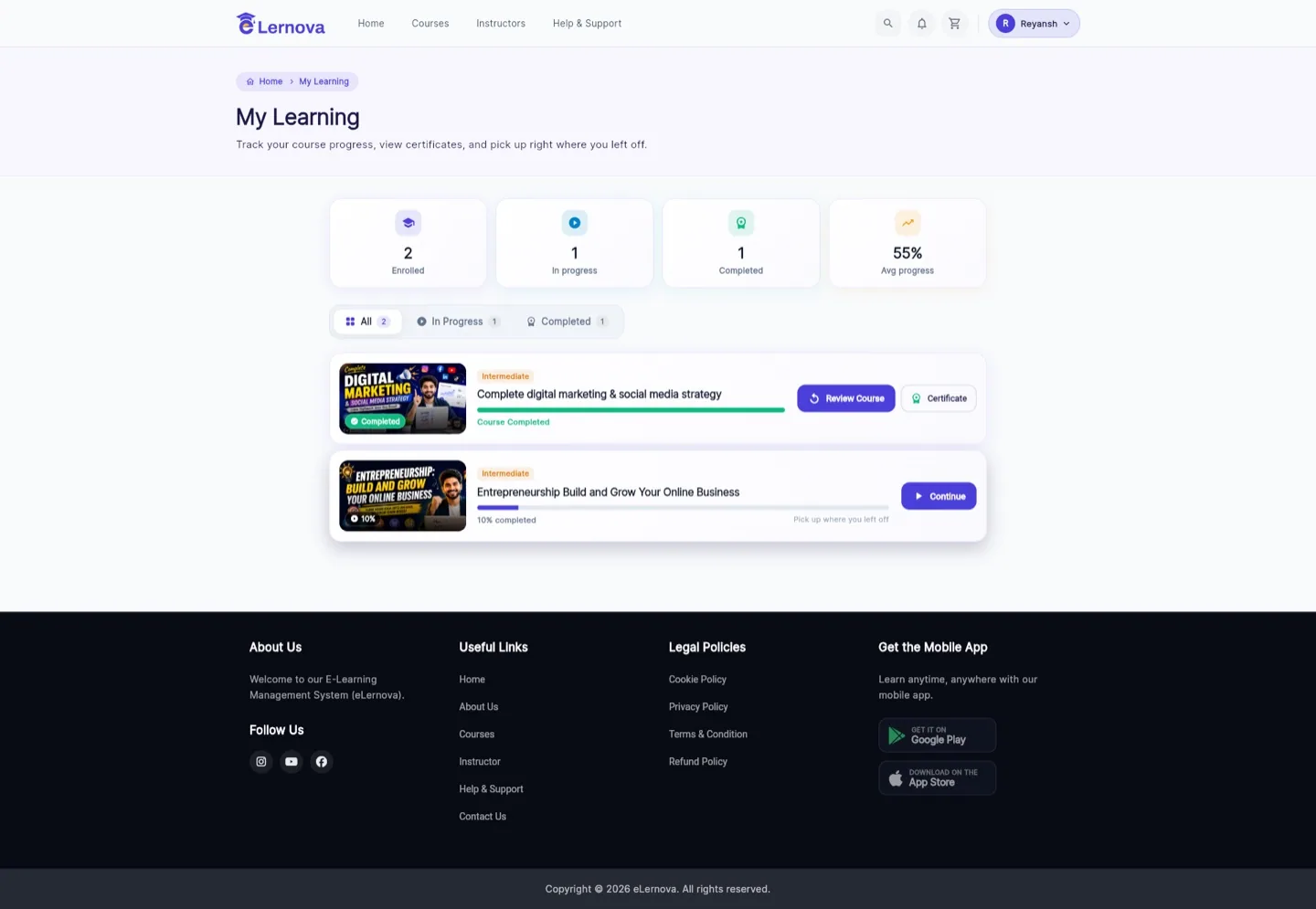
- 1Courses the student has bought.
- 2Started but not finished.
- 3Finished — these can earn a certificate.
- 4Average progress across every enrolled course.
- 5Filter by all, in progress, or completed.
- 6A finished course offers its certificate straight away.
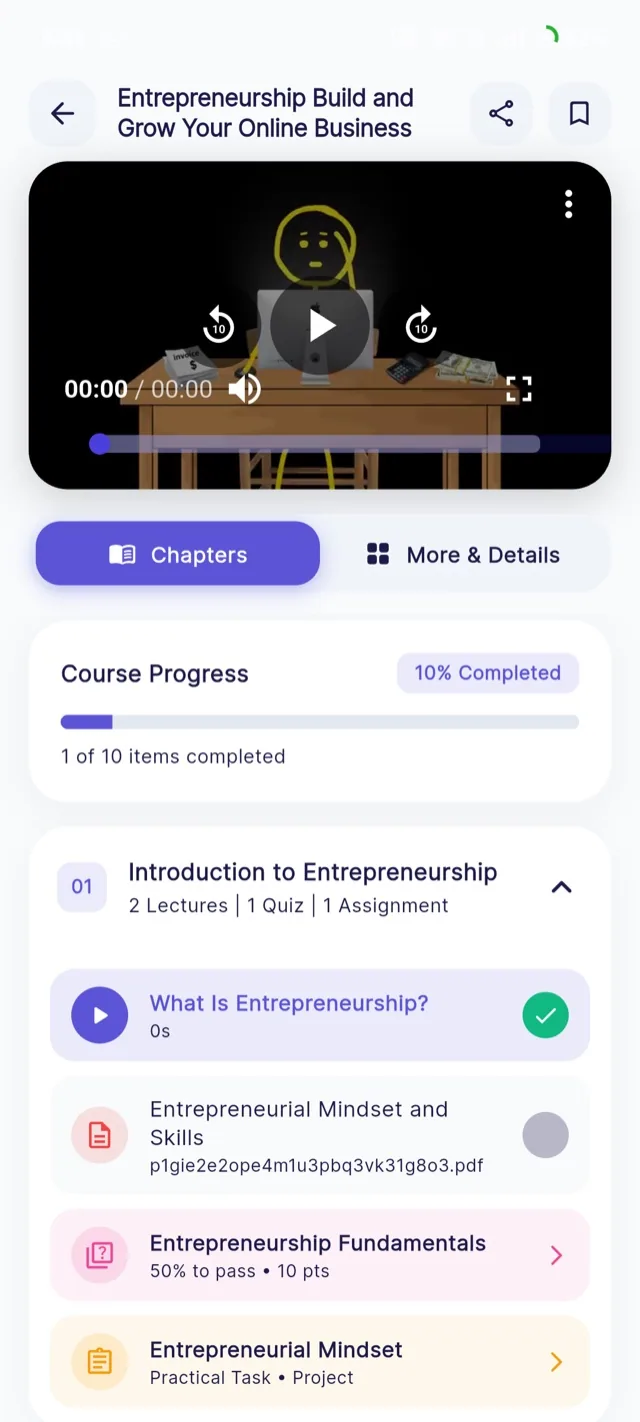
- 7Continue resumes at the exact lecture they left.