

Turn on the sign-in methods
Email, phone OTP, and the optional Google and Apple sign-ins.
eLernova supports four ways to sign in. Email and phone are the ones to enable now; the social logins need extra keys and can wait.
Open Authentication
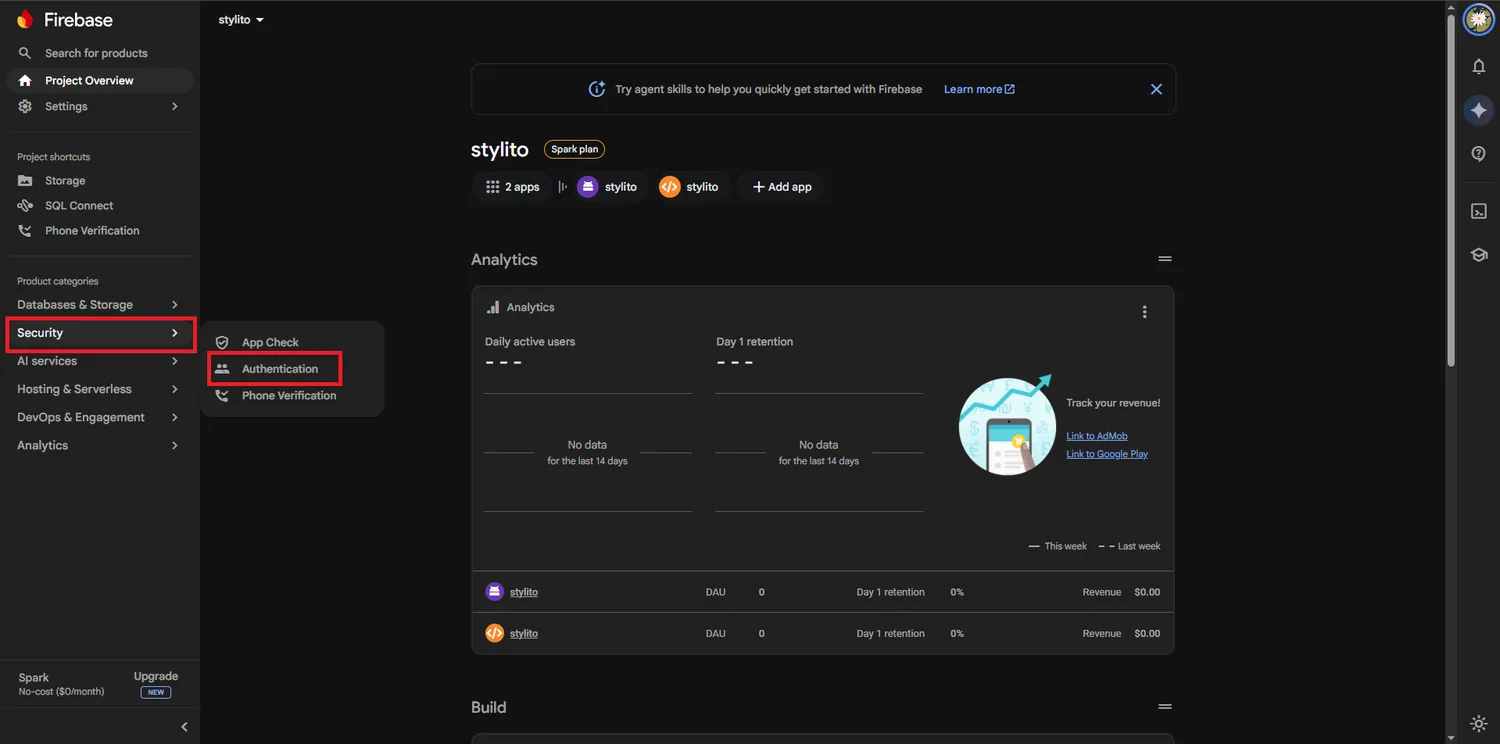
Go to Build → Authentication and press Get started. You land on the Sign-in method tab.
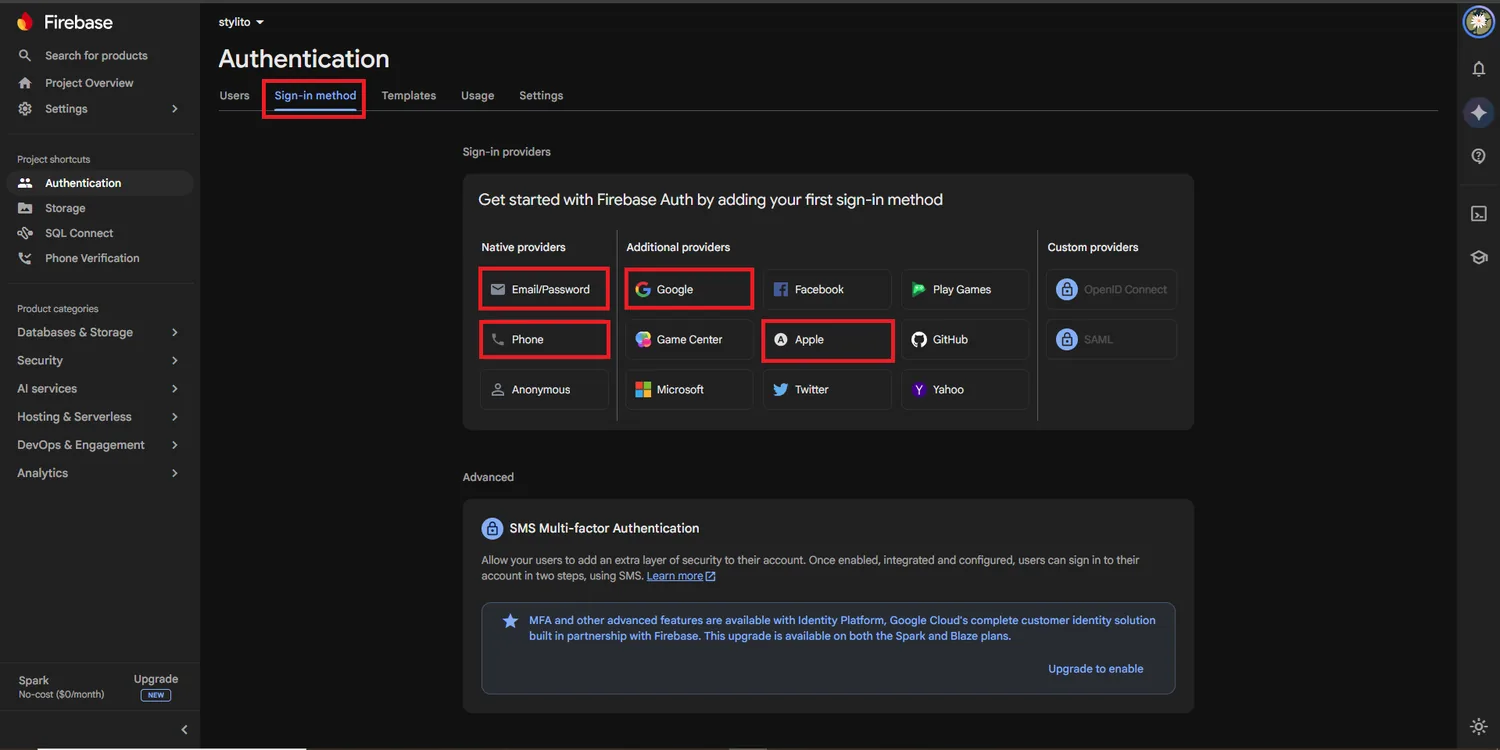
Enable Email/Password
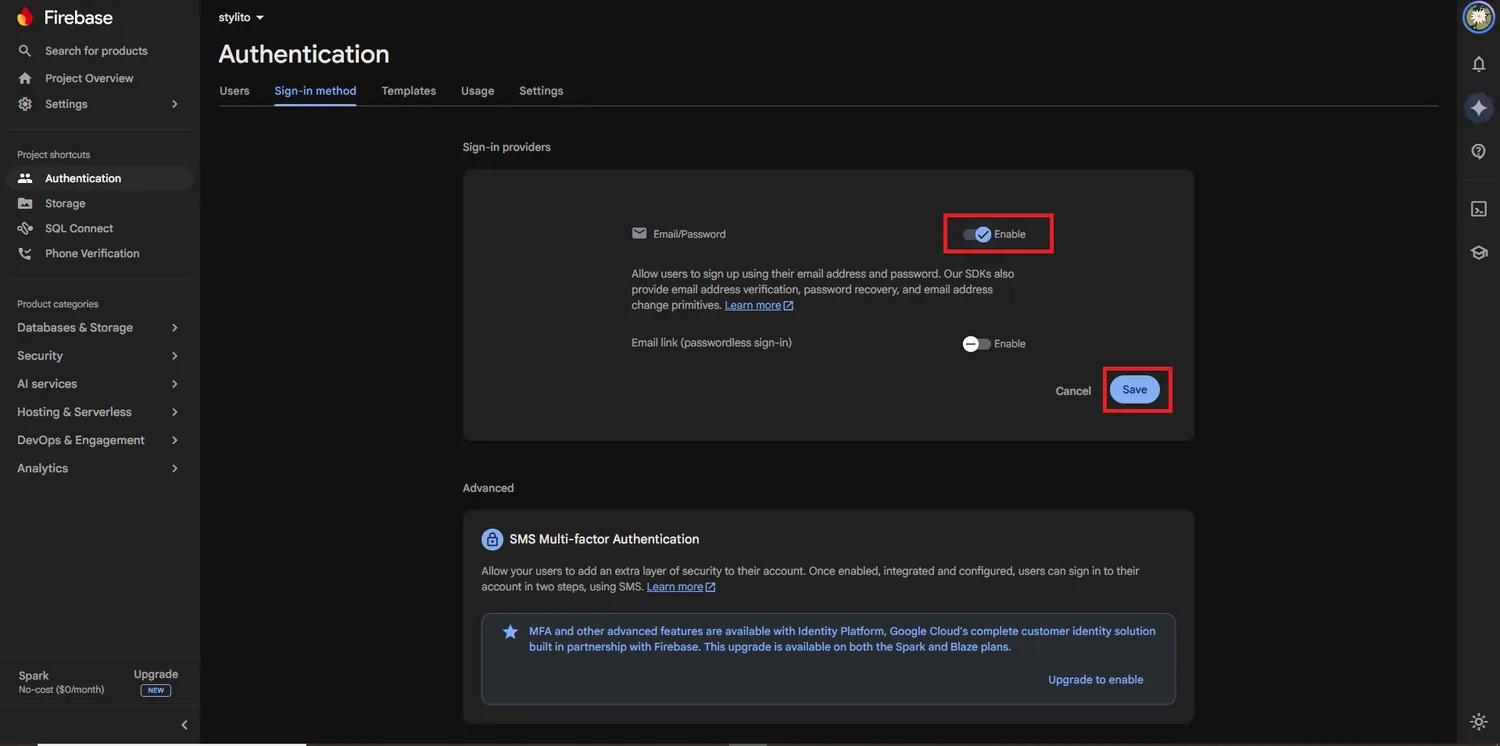
Click it, switch Enable on and save. Leave Email link (passwordless sign-in) off — eLernova does not use it.
This is also how your admin account works, so it must be on before you create the super admin.
Enable Phone
Click Phone, switch it on and save. This gives students and instructors OTP login.
Phone sign-in has a free monthly quota
Firebase gives you a number of free verifications each month and charges per SMS after that. For testing, add a test number with a fixed code under Phone numbers for testing — it costs nothing and always works.
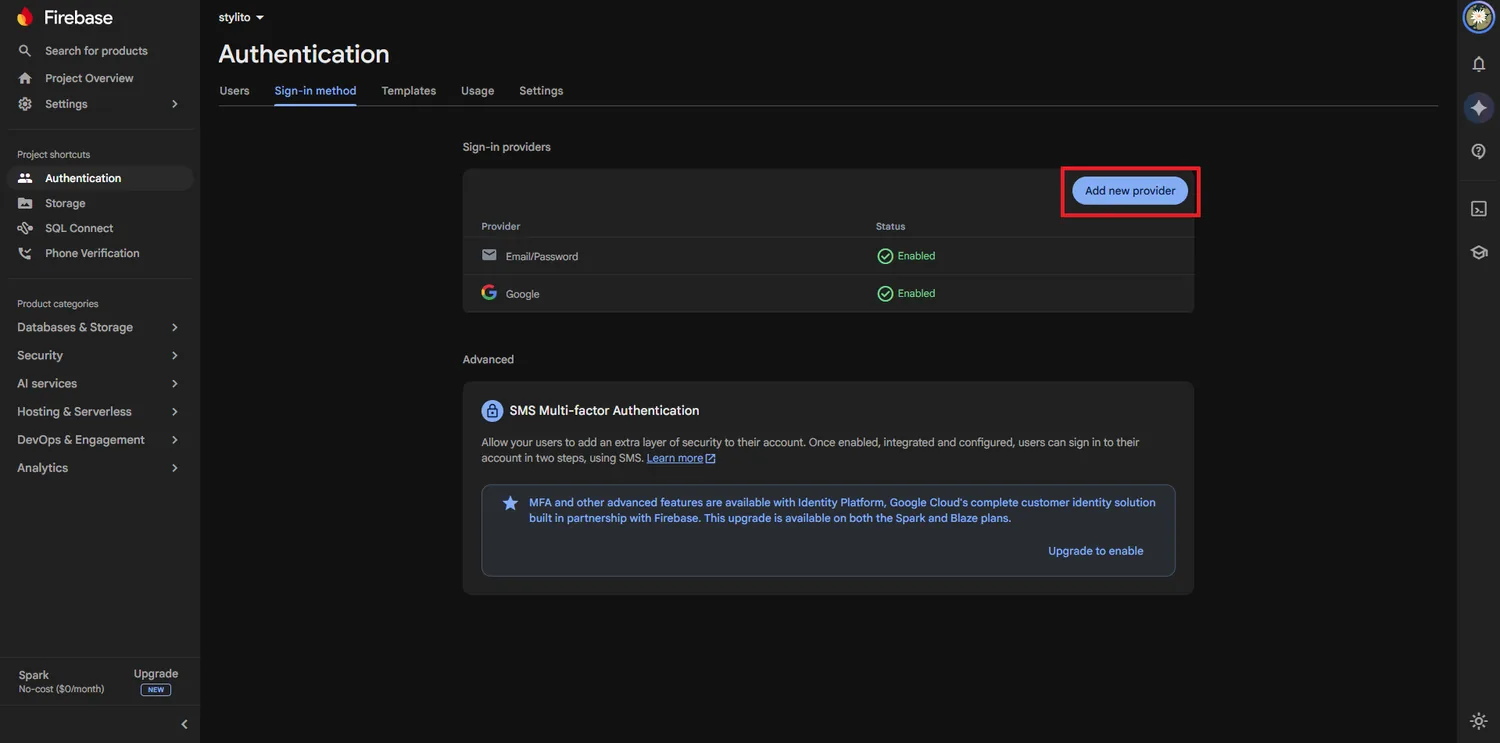
Optional: Google sign-in
Click Google, switch it on, choose a project support email and save. On Android it also needs your signing fingerprints — SHA keys & Google sign-in covers that, and the button will fail on a phone until you do it.
Optional: Apple sign-in
Only needed if you publish to the App Store, where Apple requires it in any app that offers another social login. It needs a paid Apple Developer account and a Service ID; see the iOS release page.
Add your domains
Open the Settings tab → Authorised domains. localhost and your web.app addresses are there already. Add your own domain when you reach Domains & SSL, or web sign-in will be refused on it.
What each method gives you
| Method | Students | Instructors | Admin | Extra setup |
|---|---|---|---|---|
| Email & password | ✅ | ✅ | ✅ | None |
| Phone OTP | ✅ | ✅ | — | None (SMS costs apply) |
| ✅ | ✅ | — | SHA keys on Android | |
| Apple | ✅ | ✅ | — | Paid Apple account |
Deleting a test account
While you are testing you will make accounts you want gone. Delete them from the Users tab here, and also delete the matching document in students or instructors in Firestore — the app reads the profile, not just the login.