

Step 3 · Admin Panel SetupCore settings
Maintenance Mode
Pause the customer website, customer app, store website, store app or driver app with a message, now or on a schedule.
2 min
Open SettingsMaintenance Mode. Each app has its own card, so you can pause one without touching the others.
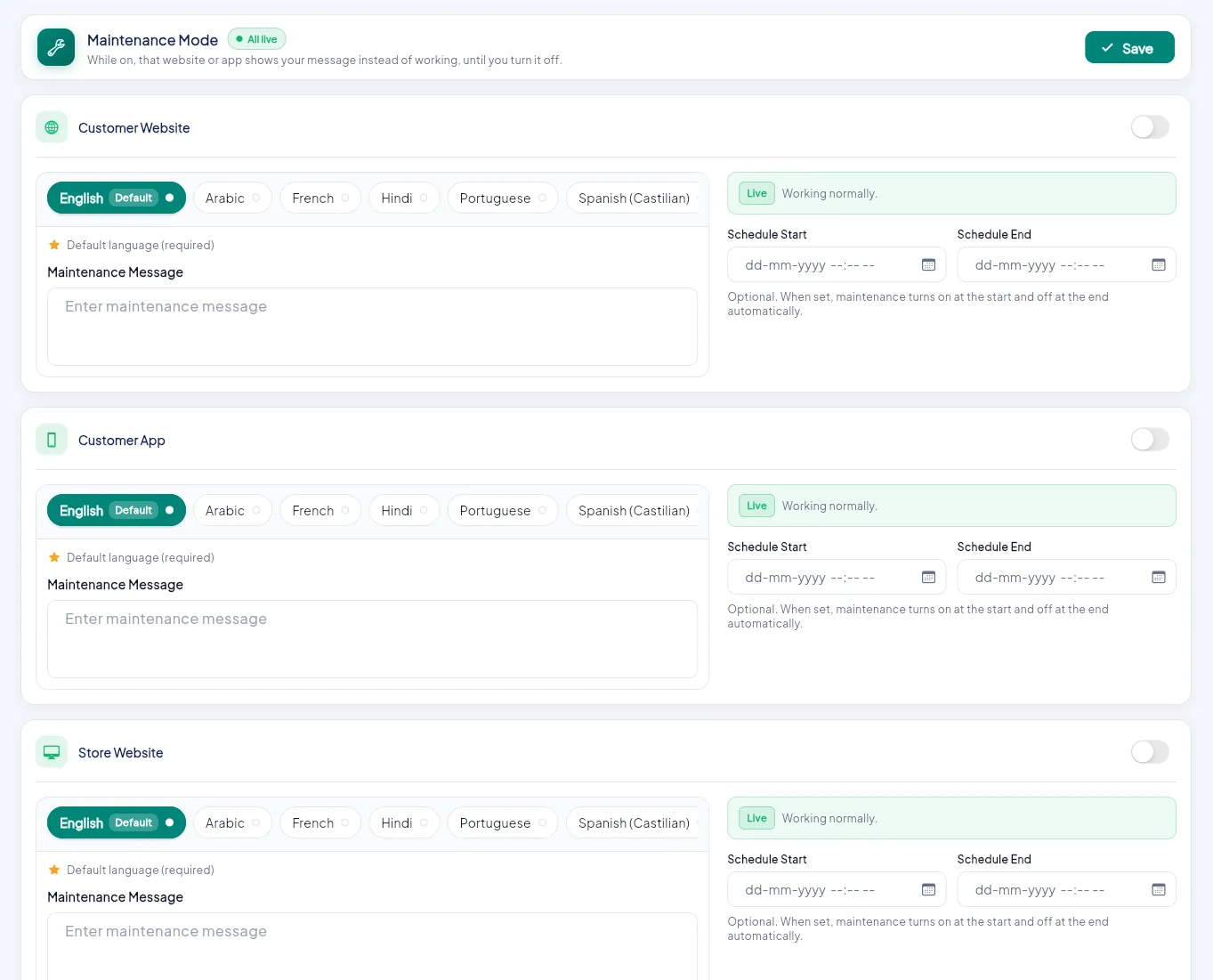
- 1Switch maintenance on for this app.
- 2Write the message in each language.
- 3The message users see.
- 4Optional start and end time.
- 5Save.
| Card | Who sees the maintenance screen |
|---|---|
| Customer Website | Shoppers on the website |
| Customer App | Shoppers in the Android and iOS app |
| Store Website | Stores on the store panel |
| Store App | Stores on the phone app |
| Driver App | Delivery boys |
Write the message#
Type the Maintenance Message in English (required) and any other language. Example: We're upgrading our shop. Back by 10 pm.
Now or later#
Switch the card on to pause the app now, or set Schedule Start and Schedule End to turn maintenance on and off automatically.
Save#
Click Save. Open apps show the maintenance screen straight away. The status badge says Working normally or Live.
The admin panel is never paused
You can always sign in to the admin panel to switch maintenance off again.