

Services, Delivery & Cart
Switch Quick Commerce and eCommerce on or off, set the default delivery charges and your commission, and turn on abandoned-cart reminders.
Service Management#
Open SettingsService Management. Zipkart runs two businesses side by side; switch off the one you do not need.
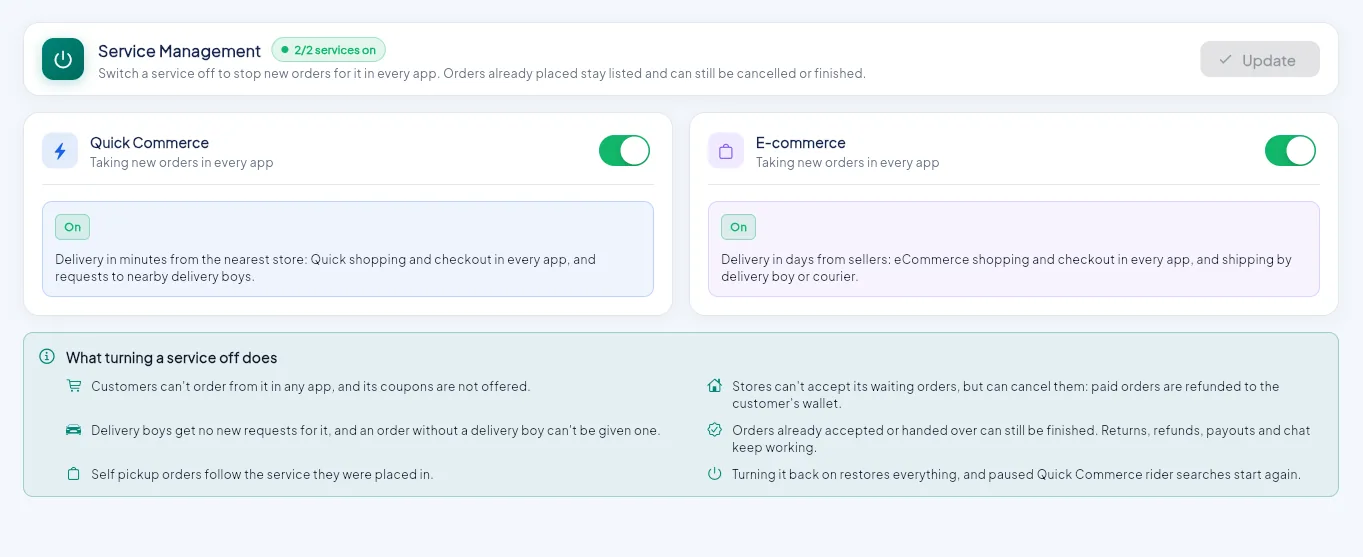
- 1Quick Commerce on or off.
- 2eCommerce on or off.
- 3Save with Update.
- 4What switching a service off does.
| Service | What customers get |
|---|---|
| Quick Commerce | Delivery in minutes from the nearest store. Orders are offered automatically to the nearest free rider. |
| eCommerce | The full catalogue delivered in days by your riders or a courier, with shipping tracking |
When a service is off: customers cannot order from it in any app, its coupons are not offered, riders get no new requests for it, and stores cannot accept its waiting orders. Orders already accepted can still be finished, and paid orders that are cancelled are refunded to the customer's wallet. Switching it back on restores everything.
Delivery Settings (defaults)#
Open SettingsDelivery Settings. These are the default charges. Every zone uses them unless you switch off Use default charges for that zone.
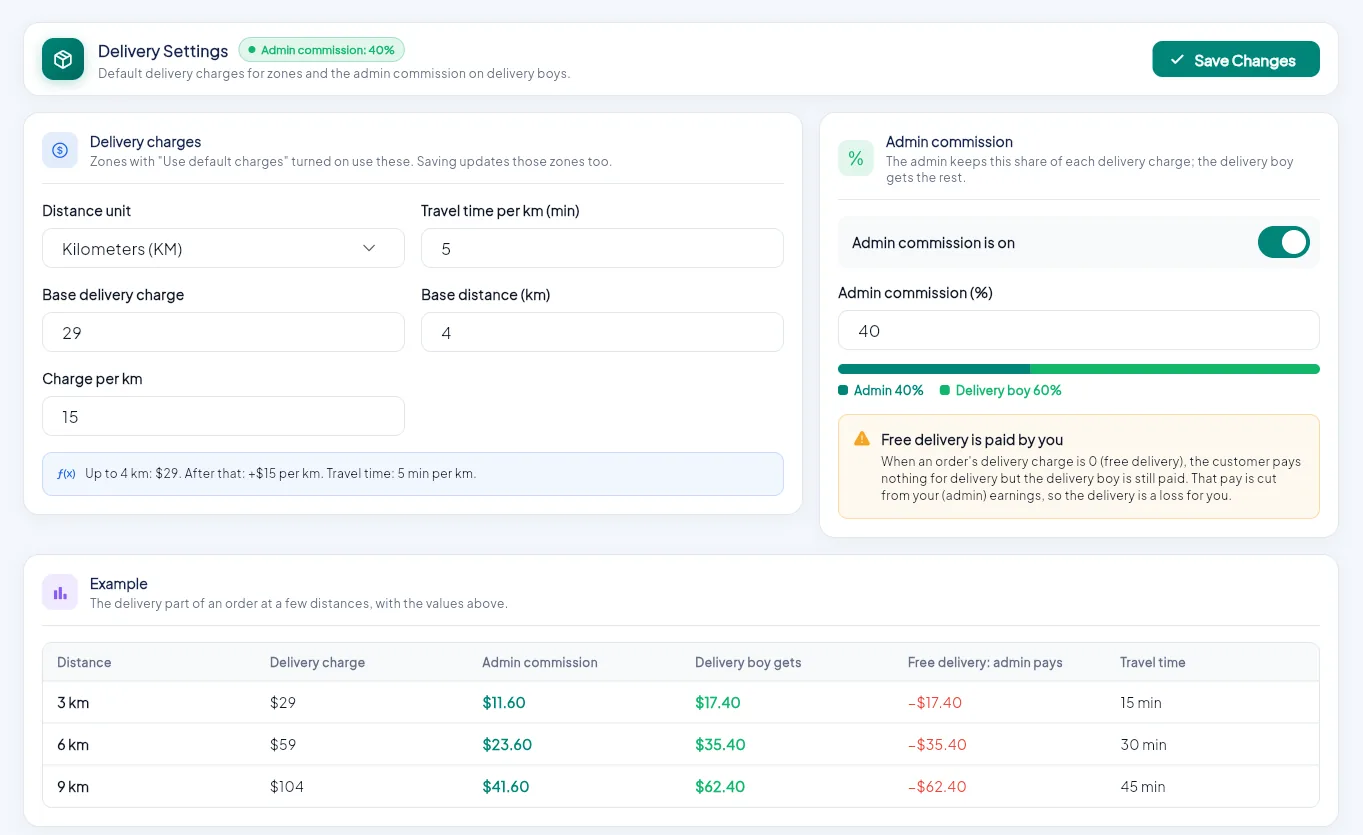
- 1Distance unit: kilometres or miles.
- 2Base delivery charge and base distance.
- 3Charge per km and travel time per km.
- 4Your admin commission on each delivery charge.
- 5Example: what customers pay and riders get.
- 6Save Changes.
| Field | Meaning | Example |
|---|---|---|
| Distance unit | Kilometres (KM) or Miles (MI) | KM |
| Base delivery charge | Fee for the first part of the trip | 29 |
| Base distance | Distance covered by the base charge | 4 km |
| Charge per km | Added for each km beyond the base distance | 15 |
| Travel time per km | Used to estimate delivery time | 5 min |
| Admin commission (%) | Your share of every delivery charge. The rider gets the rest. | 40% |
The Example table at the bottom shows, for a few distances, what the customer pays, your commission, what the rider gets and the travel time, so you can check your numbers before saving.
Free delivery is paid by you
When an order's delivery is free (for example above a zone's free delivery amount), the customer pays nothing for delivery but the rider is still paid. That amount is taken from your commission.
Cart Setting (abandoned-cart reminders)#
Open SettingsCart Setting. Zipkart can remind customers about items left in their cart.
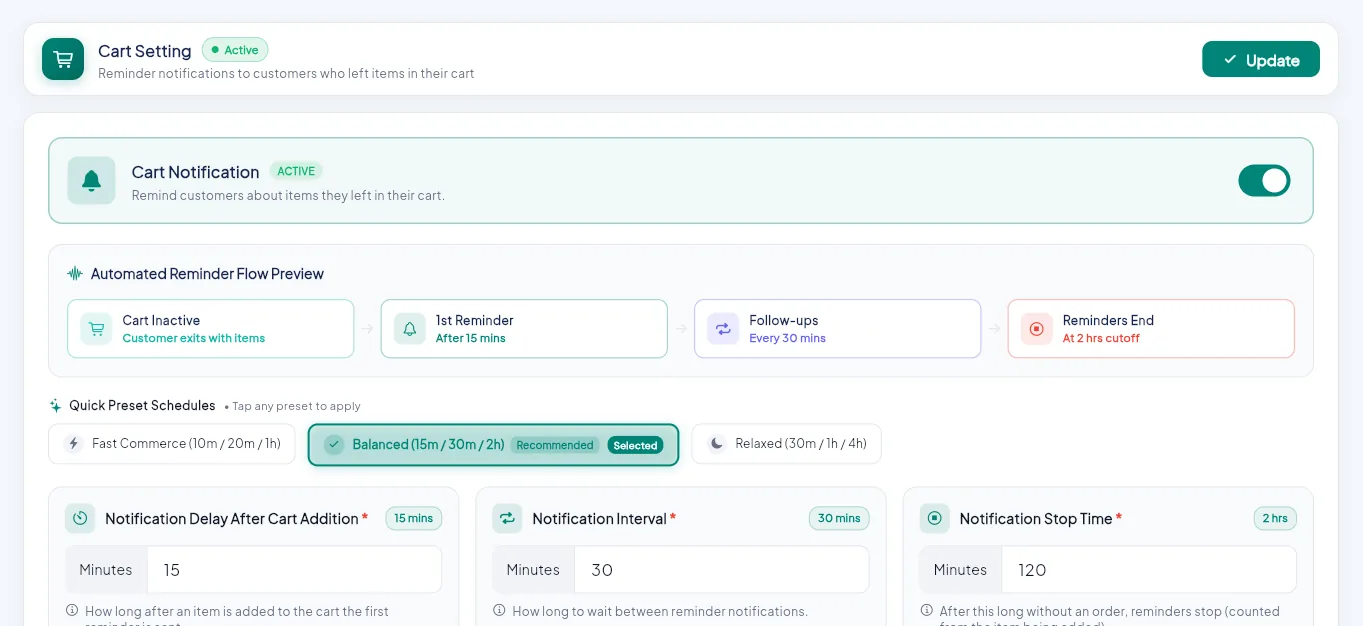
- 1Turn cart reminders on or off.
- 2How the reminder flow runs.
- 3Quick presets: Fast, Balanced or Relaxed.
- 4Or set your own delay, interval and stop time.
| Setting | Meaning |
|---|---|
| Notification Delay After Cart Addition | How long after an item is added the first reminder is sent |
| Notification Interval | Time between reminders |
| Notification Stop Time | After this long without an order, reminders stop |
Pick a preset (Balanced is a good start) or type your own minutes, then click Update. The reminder texts are in Notification Templates.