

Step 1 · Firebase Backend
Create the Firestore Database
Create the empty database. The setup tool fills it with rules, indexes and starter data later.
2 min
Open Firestore#
In the left menu, open Databases & Storage and click Firestore.
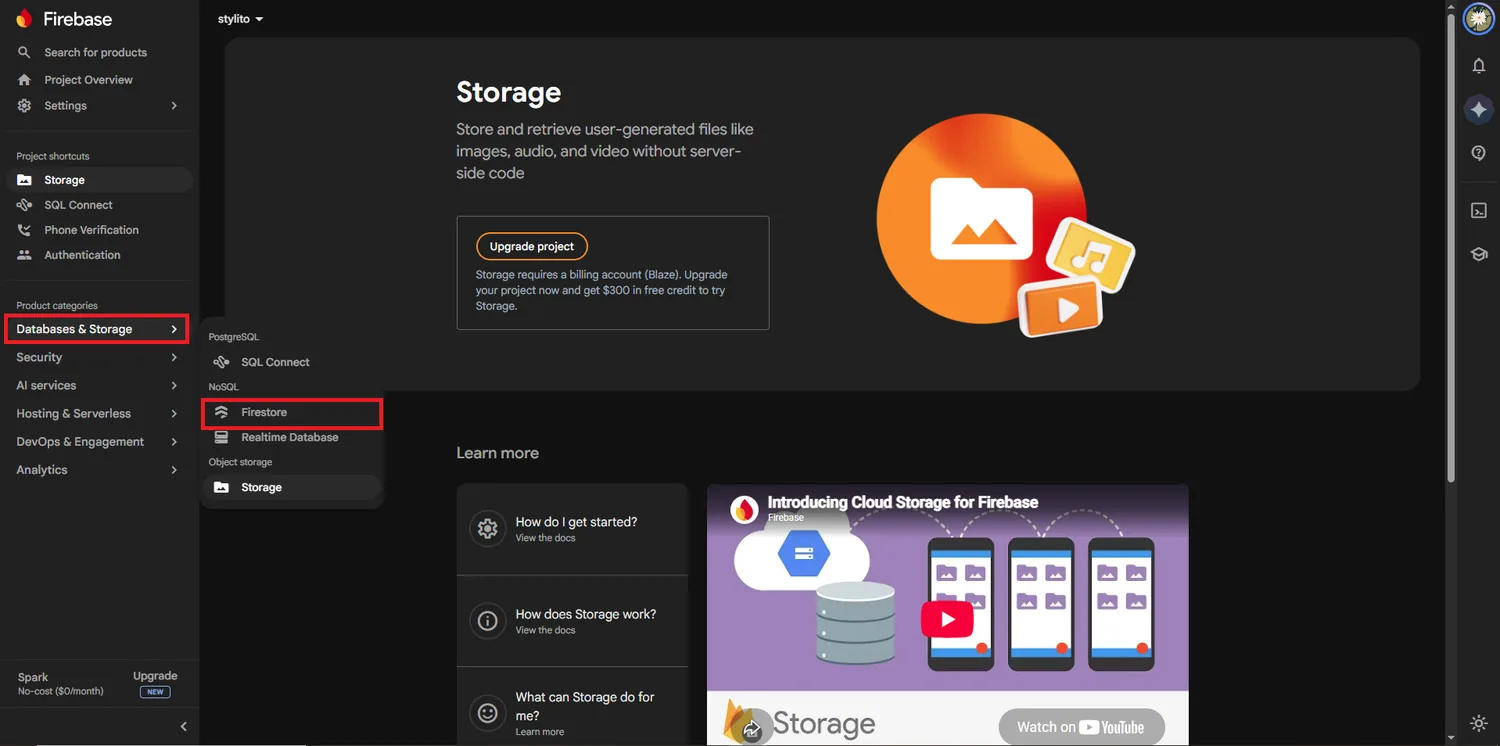
Create the database#
Click Create database. If Firebase asks for an edition, choose Standard edition.
Keep the default database ID#
Leave Database ID as (default). The apps use the default database.
Choose the location#
Pick nam5 (United States) or the same region as your Storage bucket. This cannot be changed later.
Production mode#
Choose Start in production mode and click Create.
Leave it empty
Do not add collections or documents. The setup tool imports the starter data, rules and indexes in one go.
Done
The database exists. Next, turn on the sign-in methods.